 Haze Card AI
Grok self-service guide
Follow the steps for your selected plan. Consultation-only plans require support and cannot be ordered online.
1. Sign in to your own account
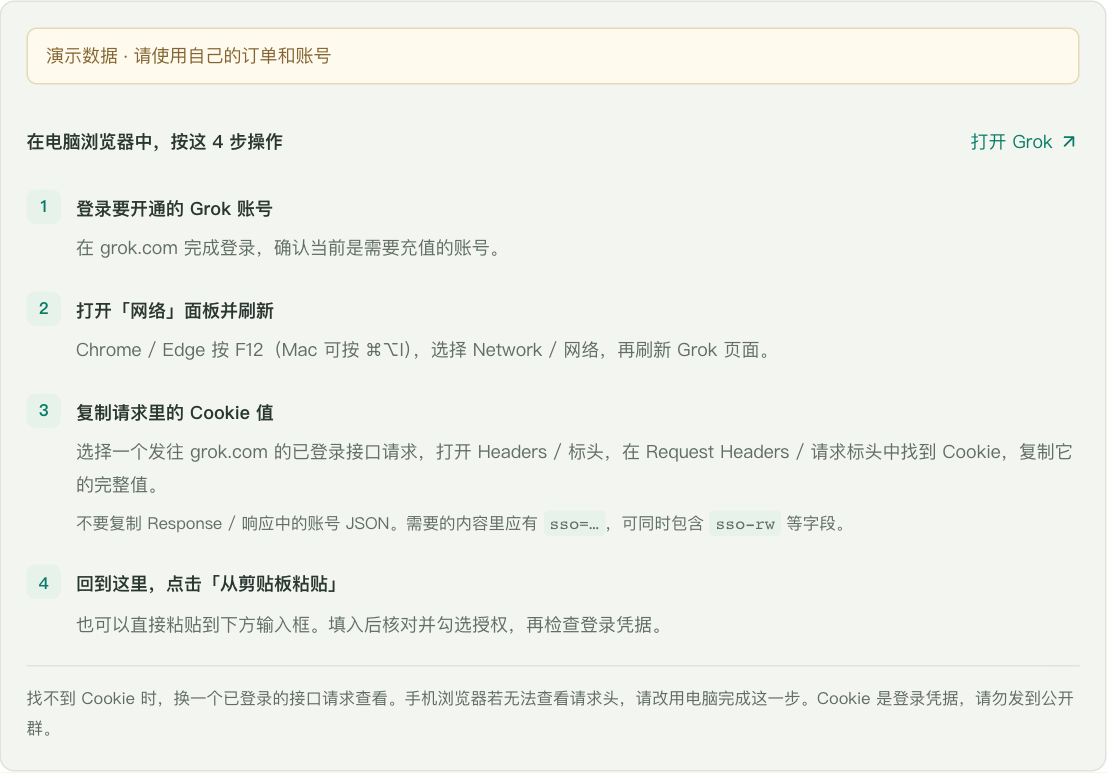
Open grok.com in a desktop browser and sign in to the account you want to use.
2. Copy your complete Cookie
Open developer tools → Network, reload Grok, and select a signed-in request to grok.com. Copy the complete Cookie value from Request Headers, including sso. A sessionId or account JSON cannot replace it.
3. Get your redemption code
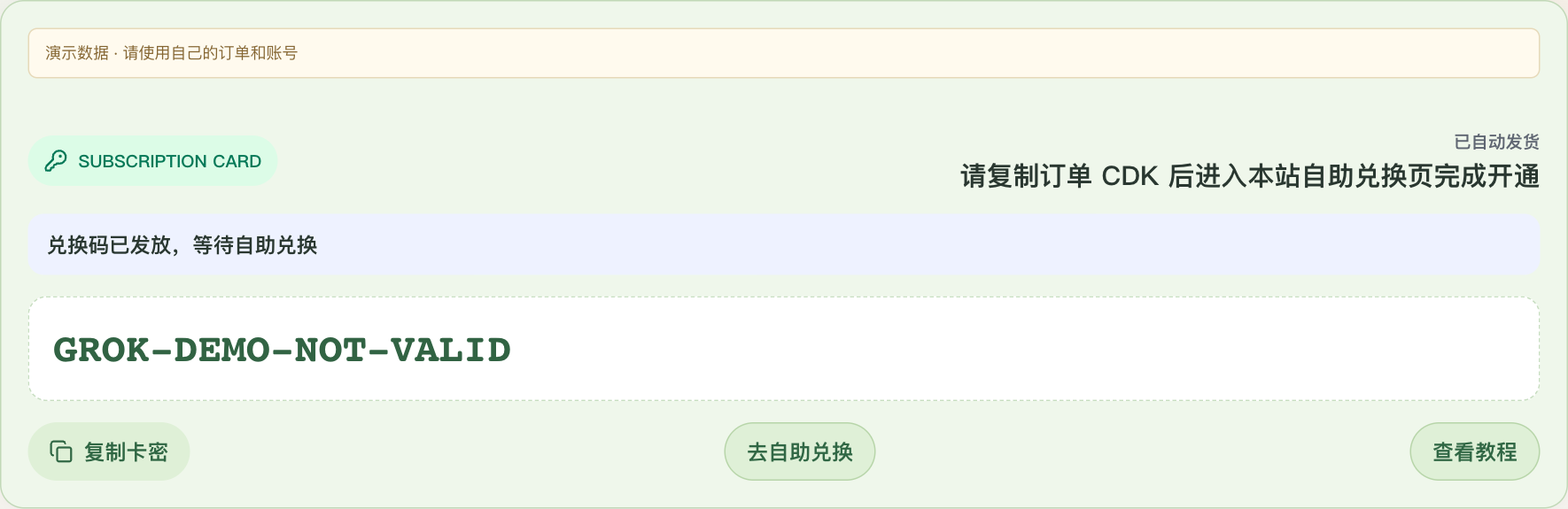
After payment, open Orders and copy your issued code. If delivery is pending replenishment, wait for a code. Offline-issued codes can also be used.
4. Validate the code
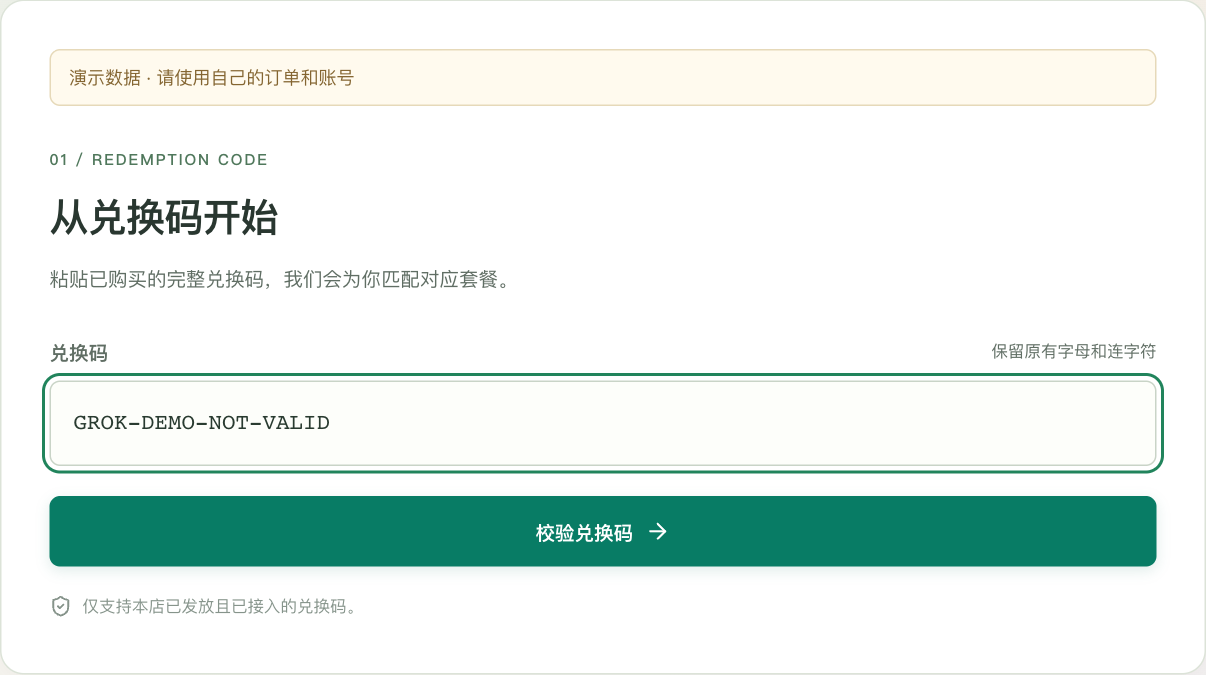
Open Redeem, paste the complete code and check its plan and status.
5. Check your account
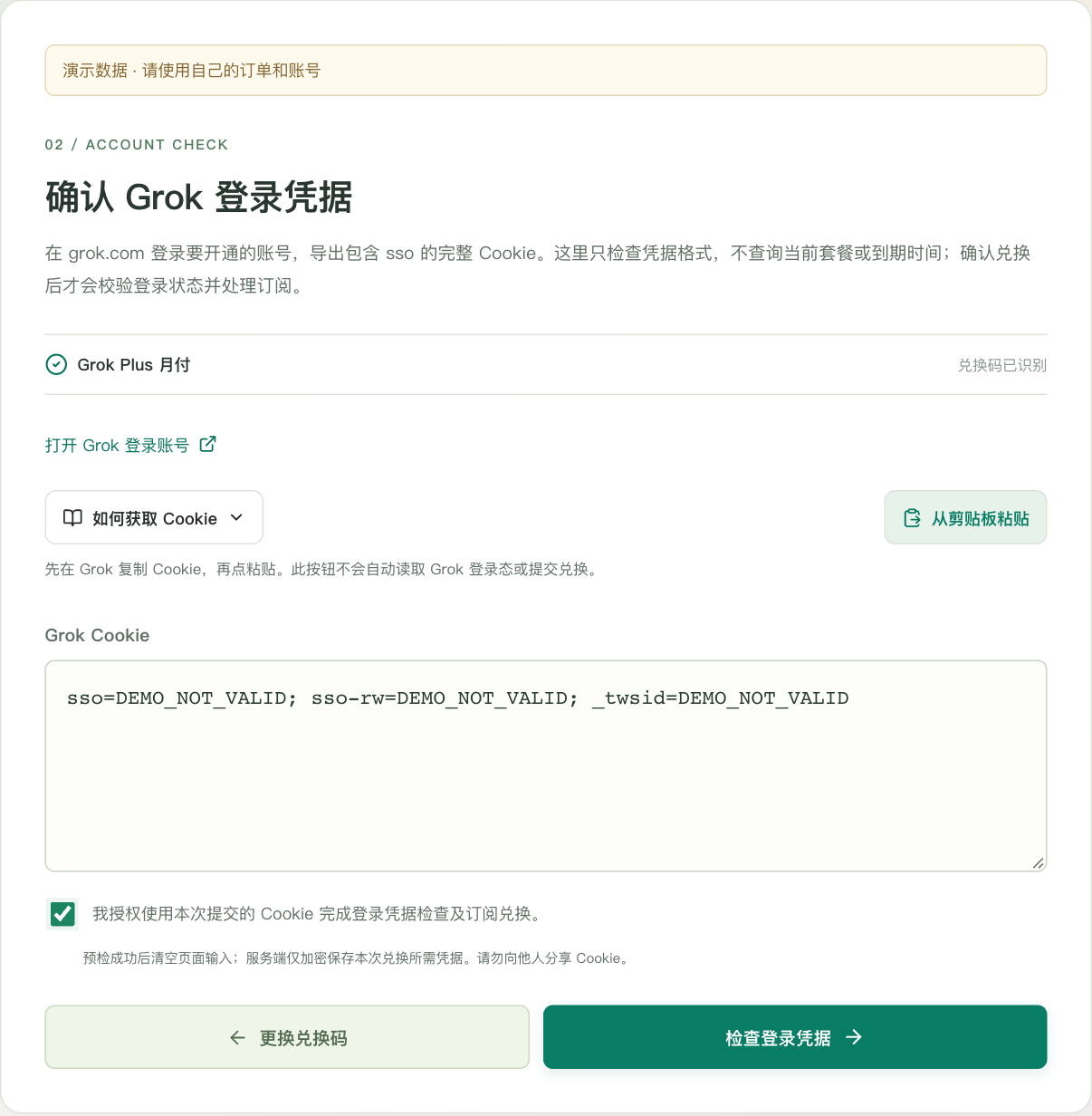
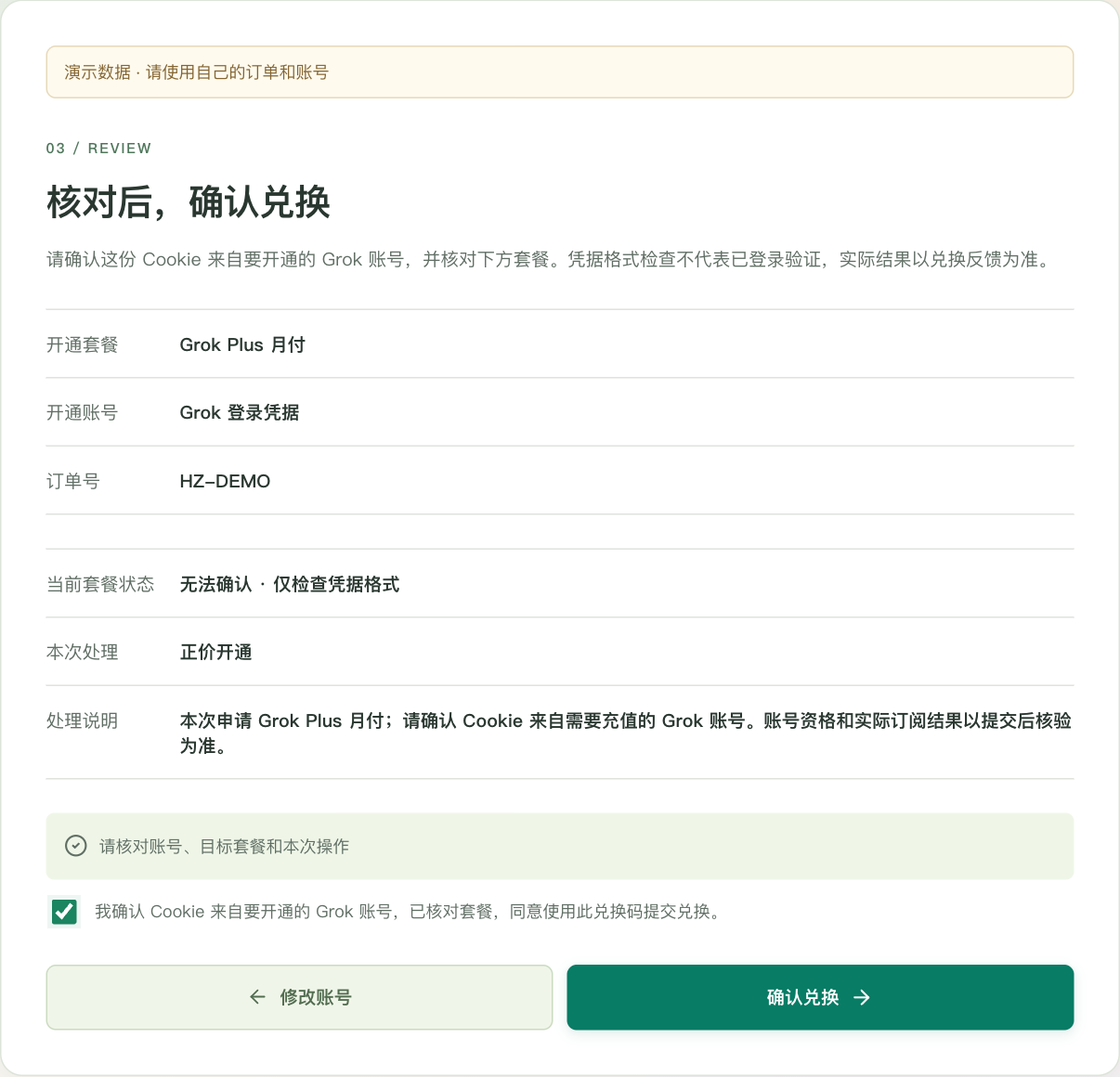
Paste the complete Cookie and review the authorization before continuing. This step checks Cookie format; it does not prove that Grok has accepted the credentials.
6. Confirm redemption
Review the account, target plan and requested action. Submit only after confirming these details.
7. Check the result
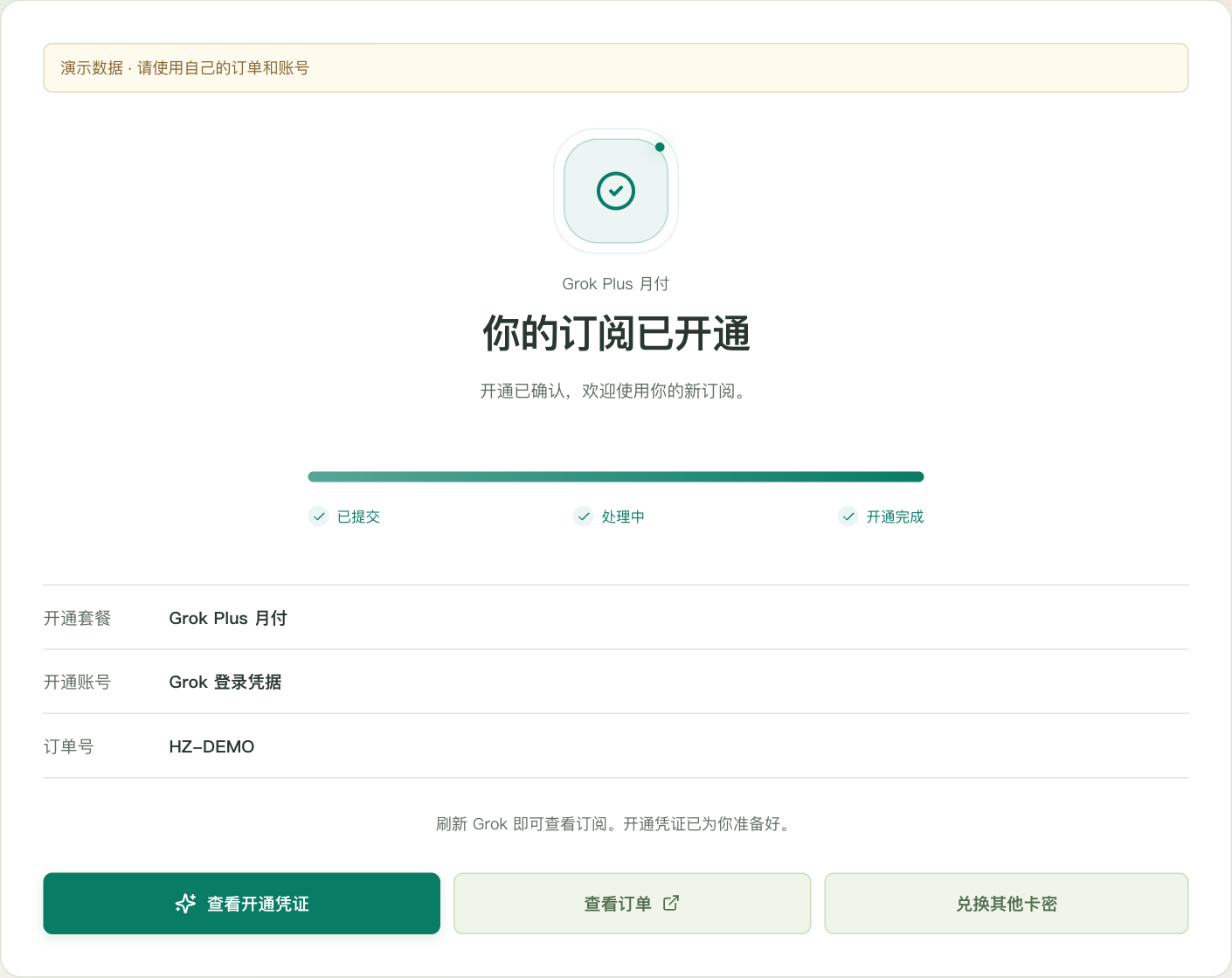
Wait for the original request to finish. If verification is pending, keep checking that request and do not submit a duplicate.
8. Get help if needed
Provide support with your order number or redemption reference. Never post your Session or Cookie in public. Credentials are encrypted when retained for fulfillment.